
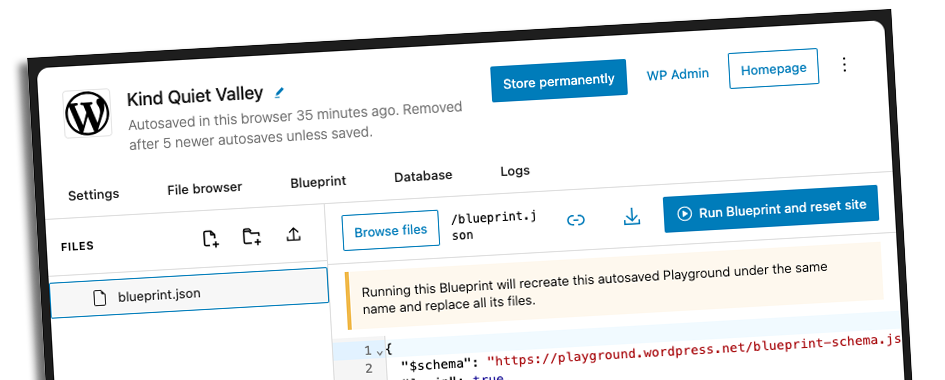
Now I’m pretty late to the table with this but I came back from WordCamp Europe this year with one thing I actually needed to go and try. Not for the sake of it. Because there was a job waiting on the other side.
A client of mine is mid-migration from a classic theme to a full block theme. For years they’ve managed their content with a plugin that used flexible content fields, so this is a proper shift in how their site works day to day. Training was already on the calendar. I just needed a safe environment to do it in.
That’s what pointed me towards WordPress Playground and Blueprints.
What Playground actually is
WordPress Playground runs a complete WordPress instance in the browser, powered by WebAssembly. No hosting, no server to provision, no login credentials to distribute and manage. You open the link and there is a working WordPress site in your tab.
A Blueprint is the JSON configuration file that tells Playground what to set up when it loads. Install this theme, this plugin, import this content. Set xyz WordPress options. It steps through the list and hands the user a fully working site.
Together they are more useful than they might sound on paper.
The problem I had to solve first
The original site database is well over a gigabyte. Custom post types for property listings, all the associated media, landing pages, standard posts. That is not something you just fire into a browser-based environment.
So I stripped it back. The old plugin-driven metadata was no longer relevant since we rebuilt all of that for the block theme, so I could drop it entirely. I trimmed metadata the XML content export down from over a gigabyte to around 50MB, keeping just enough to make the training session meaningful.
That 50MB file, hosted on GitHub, became one of three things my Blueprint pulls in.
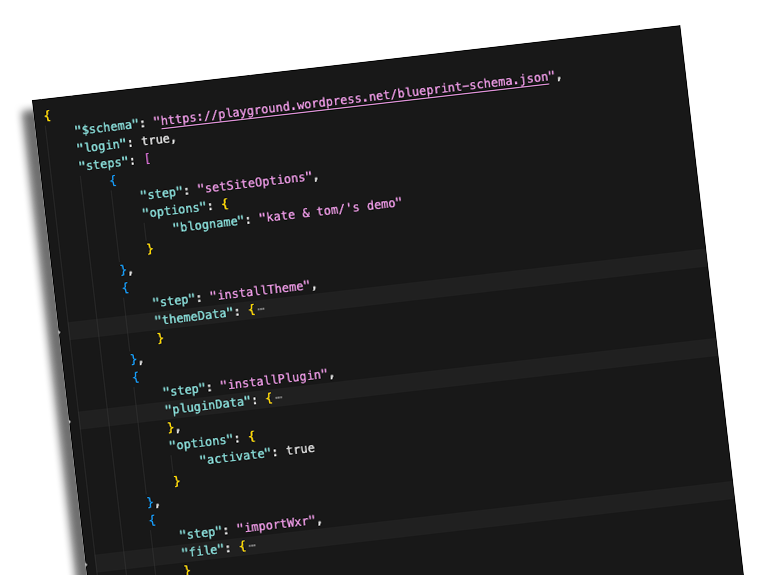
How the Blueprint is structured
The JSON file steps through a sequence. It sets the site name. It installs the custom block theme directly from GitHub. It installs the bespoke plugin, also from GitHub. It imports the slimmed-down XML content export. Then it sets the front page, configures which page handles the blog posts index, and runs a rewrite flush so all the routing is working correctly.
One file. One link.
Why this is the right approach for training
The old way to do this would have meant spinning up a separate hosting account, migrating data into it, configuring it properly, and then managing credentials for whoever needed access. That is a lot of overhead for what is essentially “give the client somewhere safe to practise.”
With a Blueprint, I send the client a Playground link. They click it, the site loads in the browser, and they have the real theme, the real plugin, and a realistic set of content to work with. They can edit pages, experiment with patterns and blocks, change things, break things. None of it persists. That is the entire point.
When they cannot remember how to do something next month, they just open the link again.
There is more to this than training sessions
Once you see how it works, other uses become obvious. If you are proposing a redesign to a prospective client, you could build out the concept in a Blueprint and let them explore an actual working version of what their new site could look like. Not mockups. Not screenshots. A site they can click around in themselves, edit, and get a feel for.
The pitch runs itself at that point, mind.
I have barely touched what Playground can do. There is a built-in file browser, the ability to switch WordPress and PHP versions, plugin testing environments, and tighter GitHub integration than I have had a chance to use yet. If you are curious, the Playground documentation is worth a proper look.
Worth exploring if you have not already
WordCamp Europe is good for planting seeds. This one landed at exactly the right moment because there was a real job waiting that made Playground a necessity rather than a curiosity. I am glad for it.
If you are working on block theme development and you have clients who need to get comfortable with a new way of managing their site, Playground and Blueprints is a proper solution. The setup takes a bit of work the first time. Once the Blueprint is built, it handles itself.
If you want more context on the block theme side of things, I have written about building and working with block themes over on my site.
Leave a Reply